SplunkBasics Did You Siem Room
a while ago I’ve found this room on tryhack me and since it’s an introduction to splunk I decided to do it . I’m increasingly more interested in splunk and soon I’ll be building a local lab and using it as the siem solution.
The room’s story is about a company TBFG gets attacked with a ransomware while preparing for Christmas, you being part of the SOC team are tasked to use Splunk to investigate the breach and trace the attack chains to save the day !!
The Guide is full of information from the Dashboard components like the search Query bar to the time dropdown. it also gives you scenarios and examples of queries you’ll use. So let’s get started !
Question 1: What is the IP attacking the Web Server?
For this we need to set the sourcetype to web_traffic then narrowing the search by execluding the usual and normal clients and browser using the useragent field, next we need set a count and get the top five(example), because a suspicious IP will be making a BIG number of calls to the server.
The command will look like this :
sourcetype=web_traffic user_agent!=*Mozilla* user_agent!=*Chrome* user_agent!=*Safari* user_agent!=*Firefox* | stats count by client_ip | sort -count | head 5
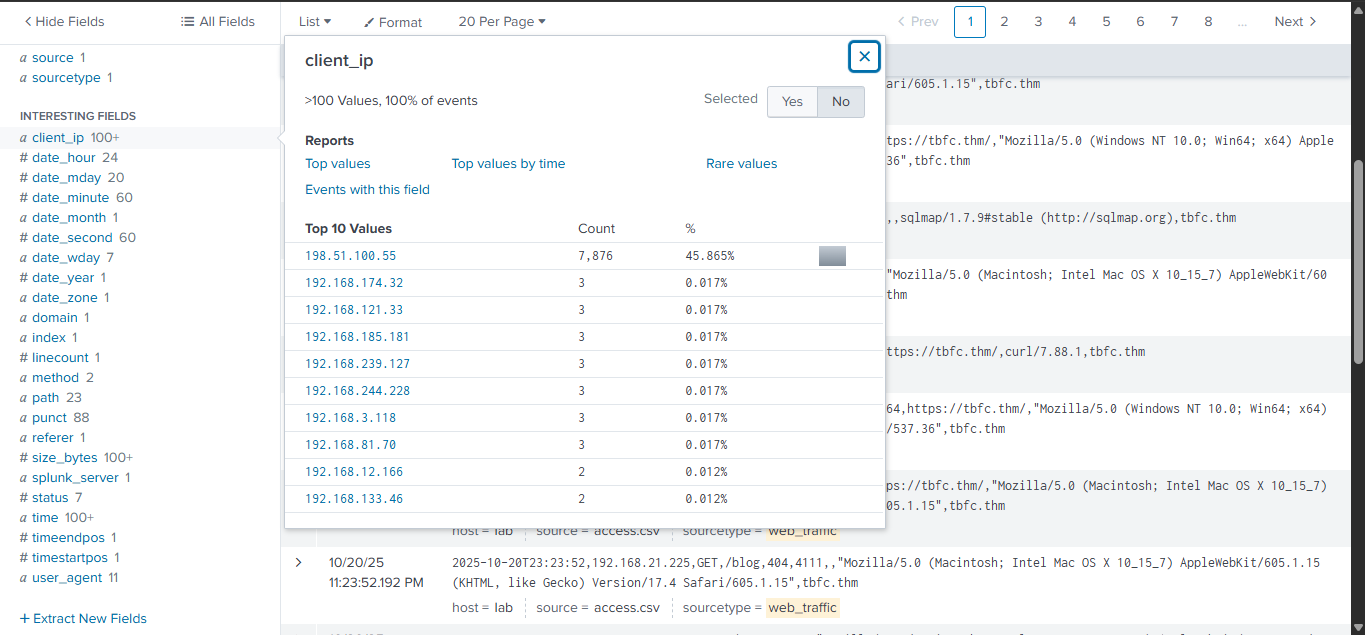 Answer will be 198.51.100.55
Question 2: Which day saw the peak traffic in the logs?
We will funnel the logs to the timechart command and use the span of 1 day and the reverse the order to get the most traffic in one day
index=main sourcetype=web_traffic | timechart span=1d count | sort by count | reverse
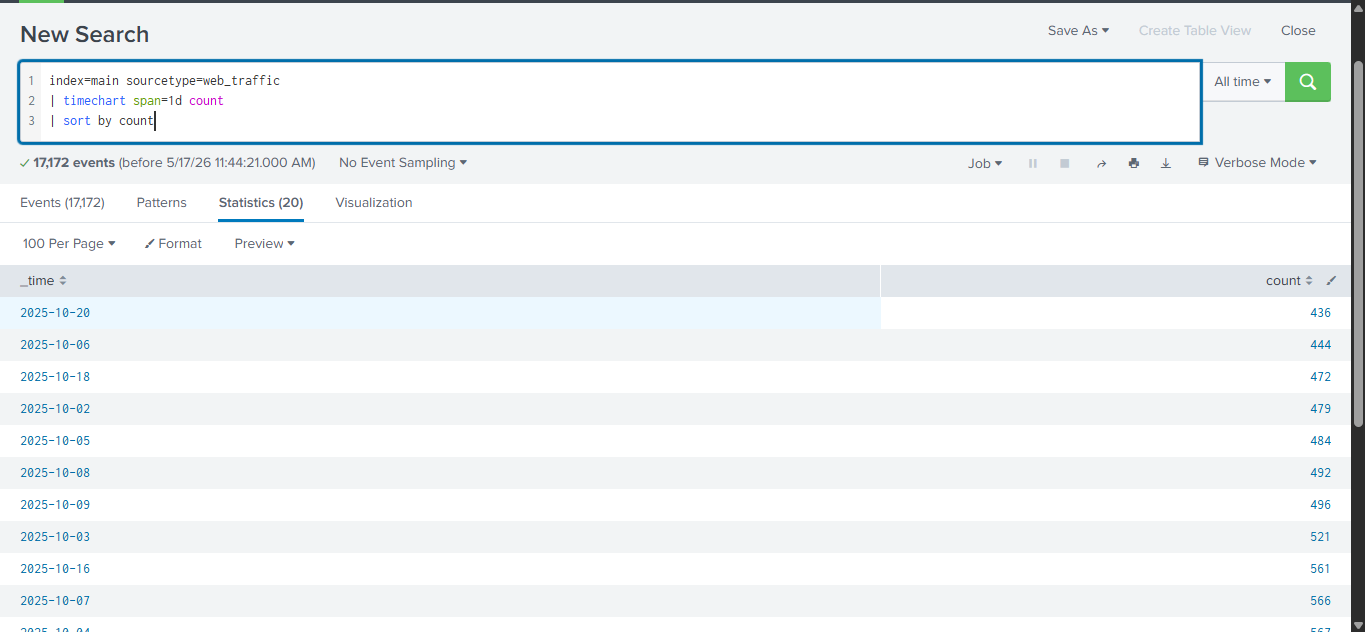 Answer is 2025-10-12
Question 3: Count the Havij user_agent found in the logs
Since we got the Ip of the attacker we can just set it as one of the fields in our query together with the given useragent and then count everything
sourcetype=web_traffic client_ip=198.51.100.55 user_agent="*Havij*" | stats count
Answer is 993
Question 4: How many path traversal attempts to acces sensitive files?
So path traversal attempts can be recongnised when the attacker adds ../../ in the paths of his queries (for example), we will also include the redirects
sourcetype=web_traffic client_ip=198.51.100.55 AND path="*..\/..\/*" OR path="*redirect*" | stats count by path
Answer is 658
Question 5: How many bytes transferred to the C2 server based on the firewall logs
First thing is to change the sourcetype to the firewall logs, we need to focus on the allowed actions and set the destination ip as the attacker’s ip determined earlier the pipe the results to the sum function
sourcetype=firewall_logs src_ip="10.10.1.5" AND dest_ip"198.51.100.55" AND action="ALLOWED" | stats sum(bytes_transferred) by src_ip
 In this Lab I’ve learned about investigations with splunk and using some SPL keywords, it is a very powerful tool with a simple dashboard I’m looking forward to learn and experience more with it